Choosing the right video editor can make or break your YouTube workflow. The wrong tool slows you down, limits your creativity, and frustrates you right when your channel starts gaining momentum. The right one helps you edit faster, stay consistent, and produce videos that actually keep viewers watching.
Based on the insights from the video, here’s a complete breakdown of the top 5 free video editors for YouTube in 2026, ranked from “good for beginners” to “professional‑grade and future‑proof.”
Top 5 Free Video Editors for YouTube in 2026
- DaVinci Resolve (Free Version)
- Shotcut
- Kdenlive
- Clipchamp
- CapCut
We’ll start with the simplest tools and work our way up to the most powerful.
5. CapCut — Perfect for Beginners, Limited for Growth

CapCut is extremely popular for short‑form content, and for good reason. It’s fast, simple, and packed with trendy effects.
Where CapCut Works Well
- Very beginner‑friendly
- Great for Shorts, TikTok, and Reels
- Lots of templates, filters, and animated text
- Available on mobile and desktop
Where It Falls Short
- Limited control over advanced editing
- Weak export customization
- Not ideal for long‑form YouTube videos
- Becomes restrictive as your channel grows
Best For
Creators who want to start quickly, especially with short‑form content. Not recommended for long‑term YouTube growth.
4. Clipchamp — Simple, Clean, and Browser‑Based
Clipchamp (now part of Microsoft) is a step up from CapCut, especially for basic YouTube videos.
Strengths
- Clean, intuitive interface
- Great for simple talking‑head videos
- Cloud‑based convenience
- Easy to learn
Limitations
- Lacks advanced editing tools
- Limited export settings
- Not ideal for complex projects
Best For
Beginners who want something simple but slightly more capable than CapCut.
3. Kdenlive — Powerful and Open Source, But Rough Around the Edges
Kdenlive is a surprisingly capable editor for something that’s completely free and open source.
What It Does Well
- Full multi‑track timeline
- Keyframes, transitions, and effects
- No paywalls or locked features
- Highly customizable
Where It Struggles
- Interface feels dated
- Occasional stability issues
- Smaller library of tutorials
Best For
Creators who want power without paying, and don’t mind a learning curve or occasional quirks.
2. Shotcut — Underrated, Flexible, and Reliable
Shotcut is another open‑source editor, but with a more approachable feel than Kdenlive.
Why It Stands Out
- Works on Windows, macOS, and Linux
- Strong balance of simplicity and power
- Good export control
- No subscriptions or hidden fees
Weak Spots
- Interface is functional, not pretty
- Some features feel unintuitive at first
- Slight learning curve
Best For
Creators who want a free editor that can grow with them without overwhelming complexity.
1. DaVinci Resolve (Free) — The Best Long‑Term Choice
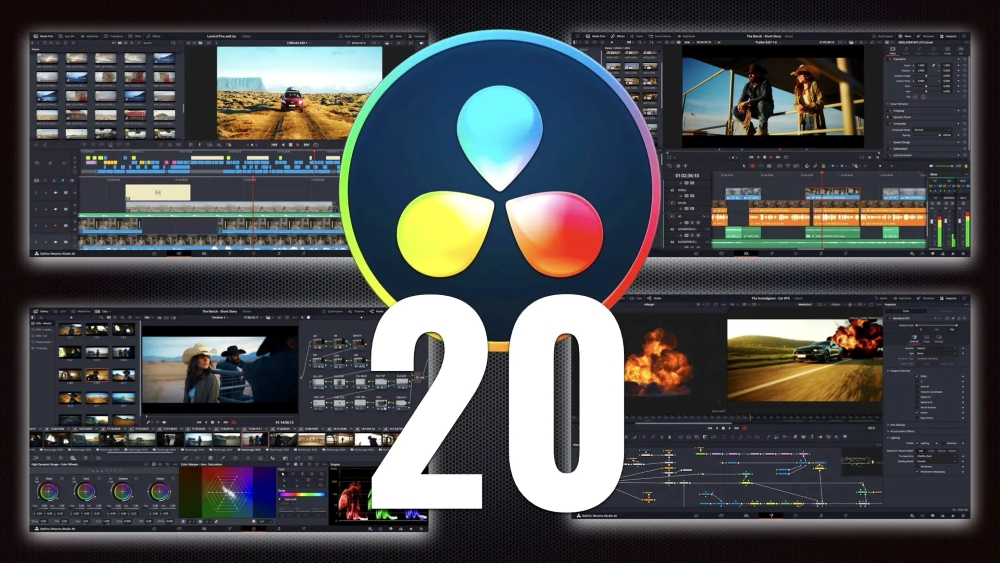
DaVinci Resolve is in a league of its own. The free version is powerful enough for professional YouTube production.
What Makes It the Best
- Industry‑level timeline editing
- World‑class color grading tools
- Advanced audio editing with Fairlight
- Scales with your channel as you grow
- Free version is extremely generous
Limitations
- Requires a decent computer
- Steeper learning curve
- Some advanced AI tools are paid (Studio version)
Best For
Creators who are serious about YouTube and want a tool they won’t outgrow.
Which Editor Should You Choose?
Here’s a quick guide:
If you’re brand new and want something easy:
CapCut or Clipchamp
If you want more control without paying:
Shotcut or Kdenlive
If you want professional quality and long‑term growth:
DaVinci Resolve (Free)
Common Mistakes When Choosing a Video Editor
1. Picking the “easiest” tool and hitting limits later
Simple tools are great at first, but you’ll eventually need more control.
2. Ignoring export quality
Bitrate, codecs, and resolution matter for YouTube clarity.
3. Underestimating workflow friction
Editing weekly or daily requires a tool that won’t slow you down.
4. Switching editors too often
Every switch resets your muscle memory and slows your progress.
Final Thoughts
The best free video editor isn’t just about features — it’s about how well it fits your workflow and your goals as a creator.
If you want something simple, start with CapCut or Clipchamp. If you want power without paying, try Shotcut or Kdenlive. If you want the best long‑term solution, DaVinci Resolve is the clear winner.
No matter which editor you choose, the most important thing is to start creating consistently. The software is just a tool — your creativity is what makes the difference.